Pixel Pack
overview
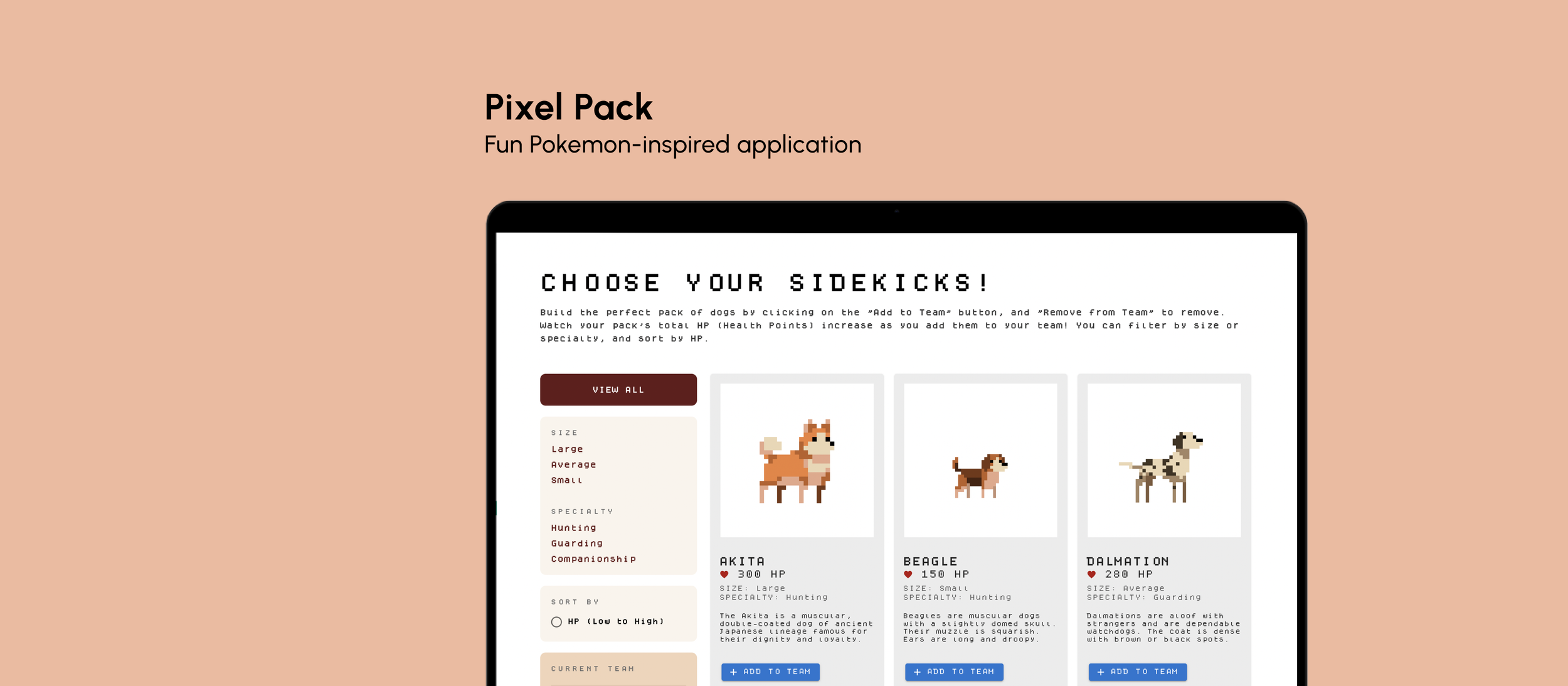
A hybrid UX and frontend development project focused on dynamic data state handling. I conceptualized and built an interactive roster-building application that gamifies standard list-selection patterns. Leveraging React, I engineered an interface where user selections instantly drive an aggregated summary state, showcasing my ability to translate interactive design logic into clean, component-based code.
Timeline
November 2022 - December 2022
SKILLS
UX/UI Design, React, CSS
00. Goal
How can we create a fun, interactive site using React?
01. Usability Considerations
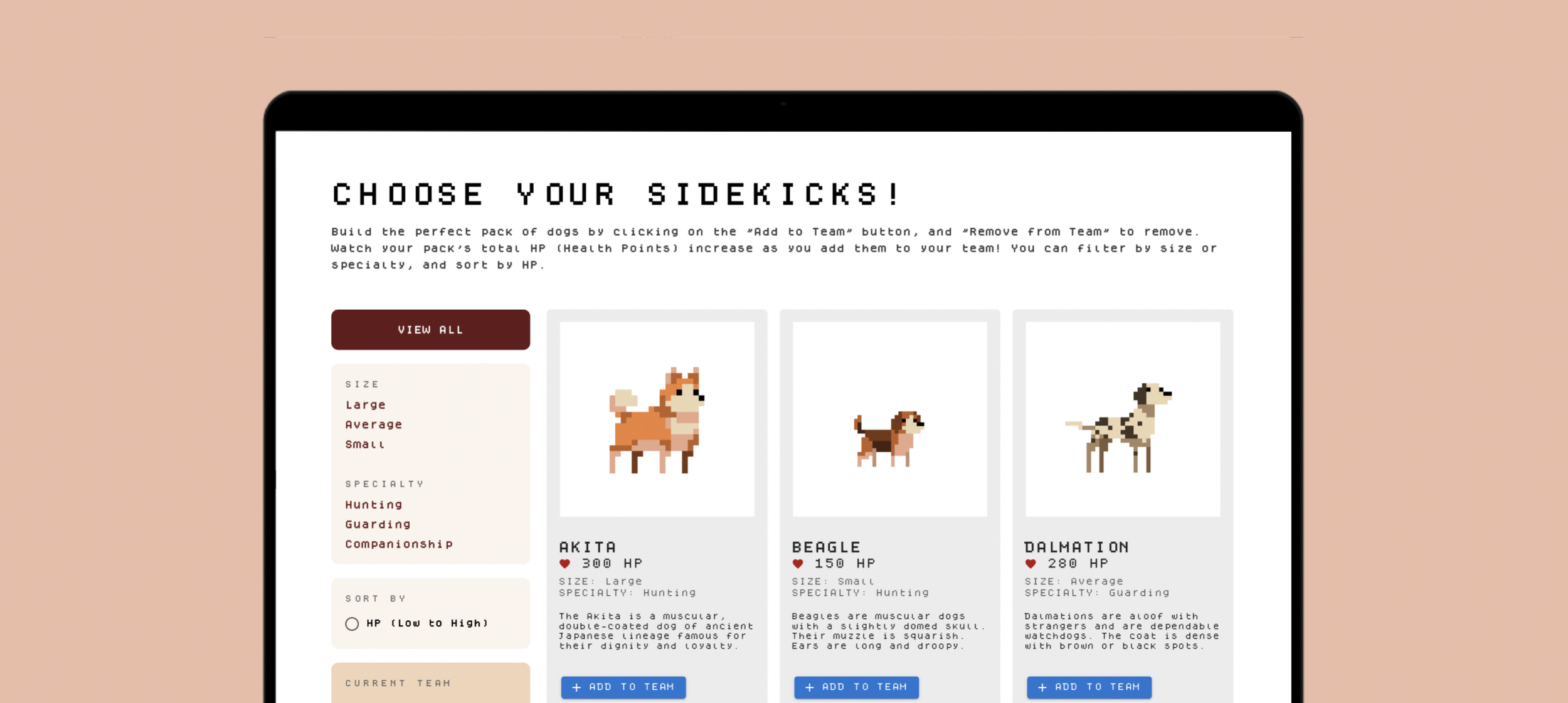
For hierarchy, I used a large header to instruct the user on what the application is used for. I used a side bar to organize the filters, sort, and team. The items/dogs are organized in rows of cards which makes it easy to navigate.
For learnability, I added concise instructions at the top and clear labels/headers for users to reference.
For usability, I match the user's conceptual model of "adding to cart" by using similar verbiage and having the Current Team list out the dogs added to the team.
02. Application Features
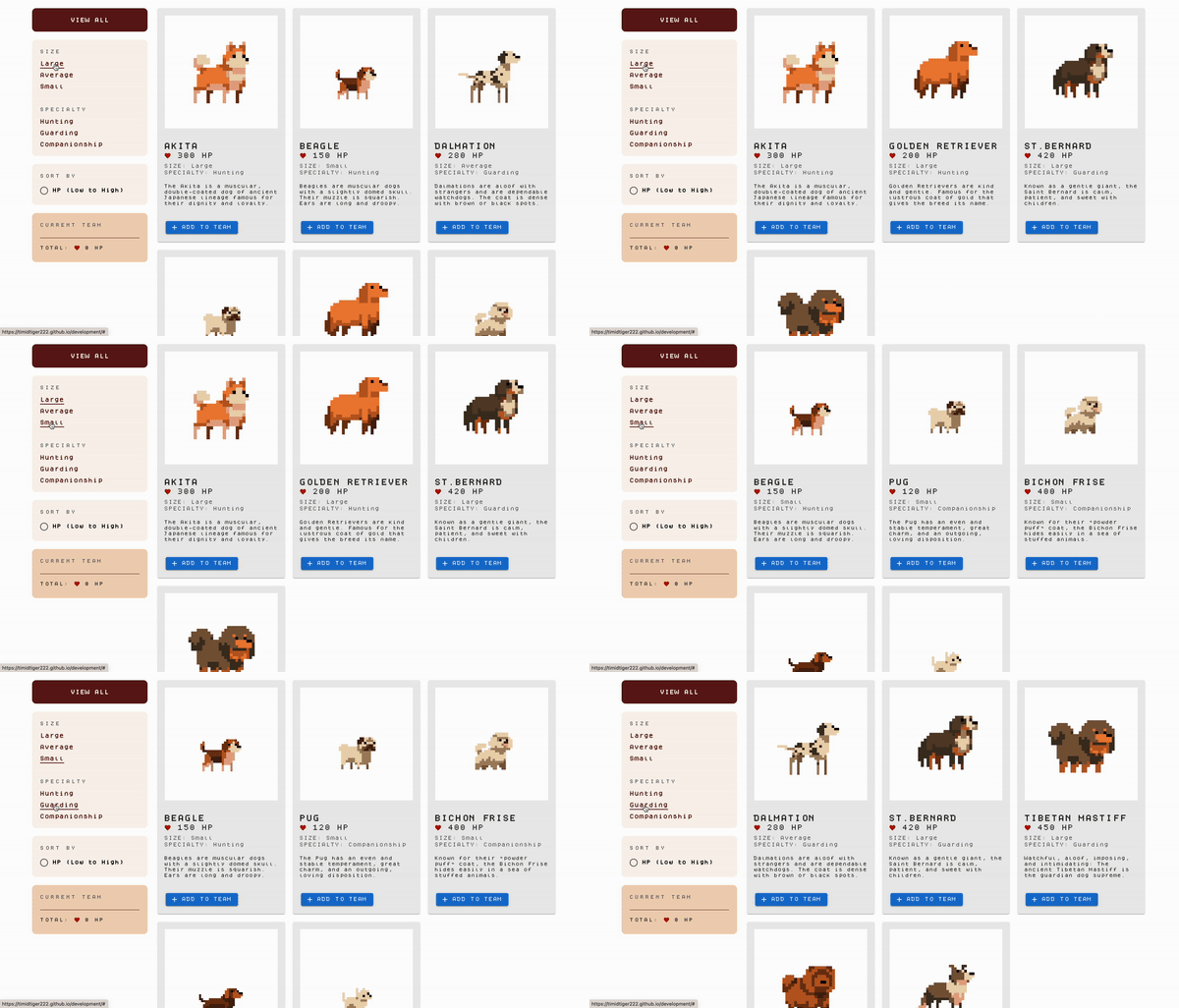
FILter
Users can filter based on the dogs' size or specialty by clicking on the filters on the leftside bar.
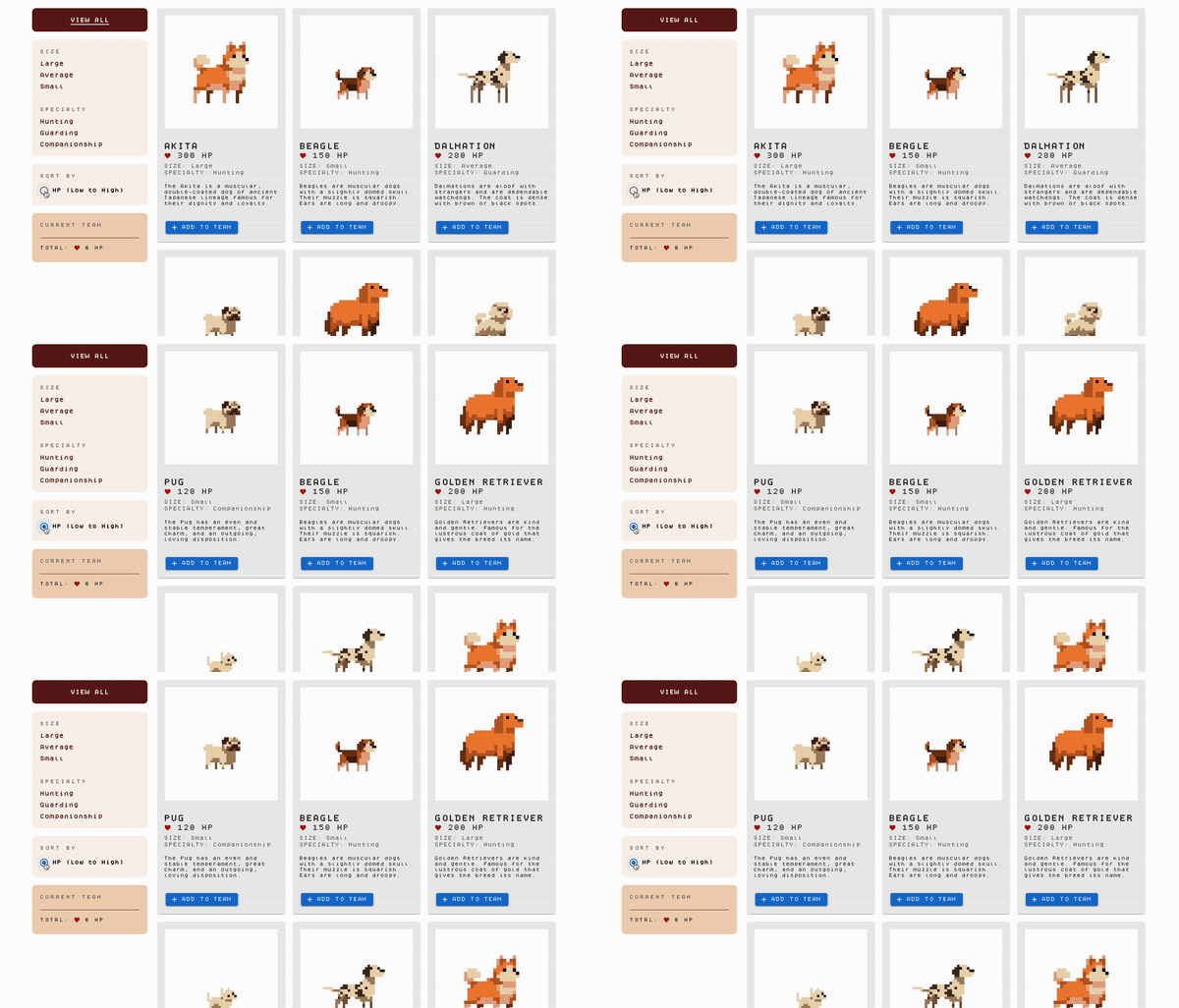
SORT
Users can sort the dogs from lowest HP to highest on the leftside bar.
ADD TO TEAM
Users can add dogs to their team (aggregated on the leftside bar) by clicking on the "Add to Team" button. They can also remove dogs by clicking on the "Remove from Team" button. The team's total HP is displayed underneath.
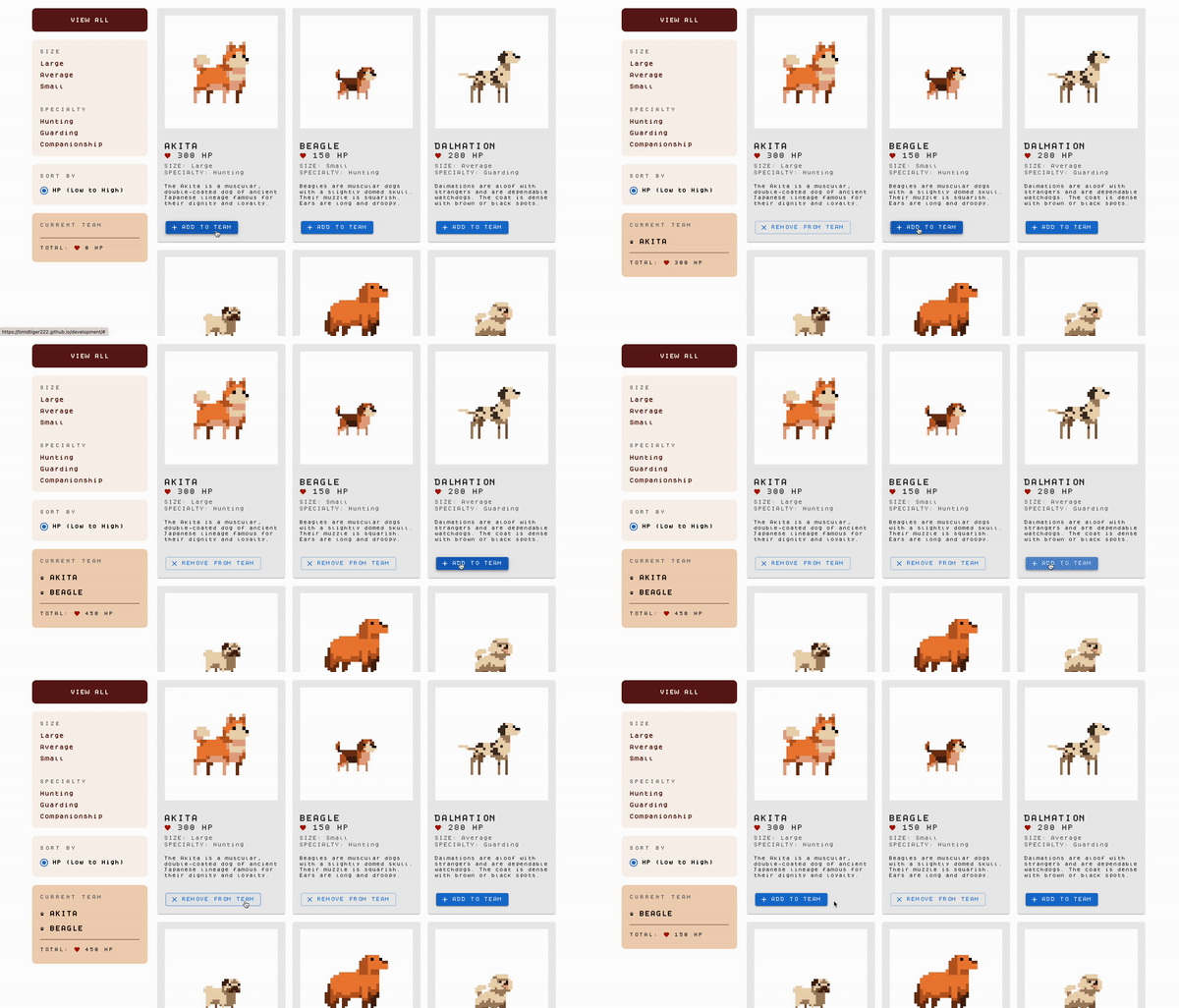
03. How it Works
Organization of Components
I created ProductItem, Team, and SortBar components to better organize/delegate the 3 distinct aspects of the application. The ProductItem component manages the 12 item cards and the "Add to Team" button. The Team component is the aggregator part, in which users can add or remove dogs from the team. Finally, the SortBar component handles the sorting (HP Low to High) function.
How Data is Passed Down Through Components
I use props to pass item data to the Components in each Component. For example, the ProductItem component uses props to access the dog's HP, name, description, size, and specialty from the main App class. The Team component also uses props to know which dogs are being added to the list so it can access the dog name to make the list entry. SortBar uses props for the handleClick, so that the button knows when it is pressed.
How the User Triggers State Changes
The user triggers state changes in a couple different places. First, clicking on either the filters or the sorting buttons causes the main ProductList shown to change to either FilteredData or SortedData. Another example is when the user adds dogs to their team by clicking on the "Add to Team" button, the states update to include the new dog in the Team list and add up the total HP.
04. Final Application
This project was really fun to express creativity and work with an aesthetic that I personally find very nostalgic. I learned how to use React for the first time, and gained experience with using use states and props. You can view and play with the final application by clicking on the button below!