21 Choices Website
overview
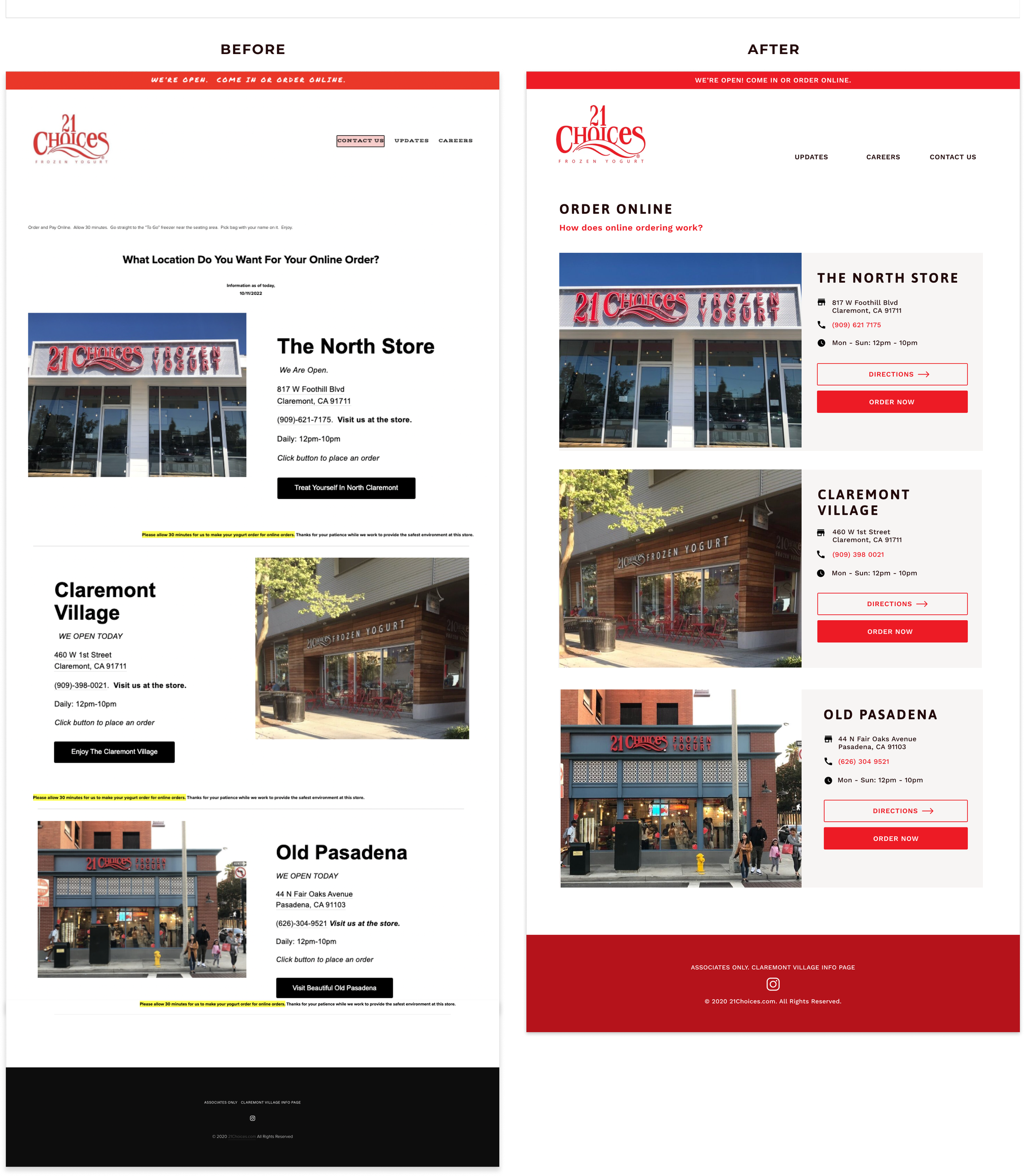
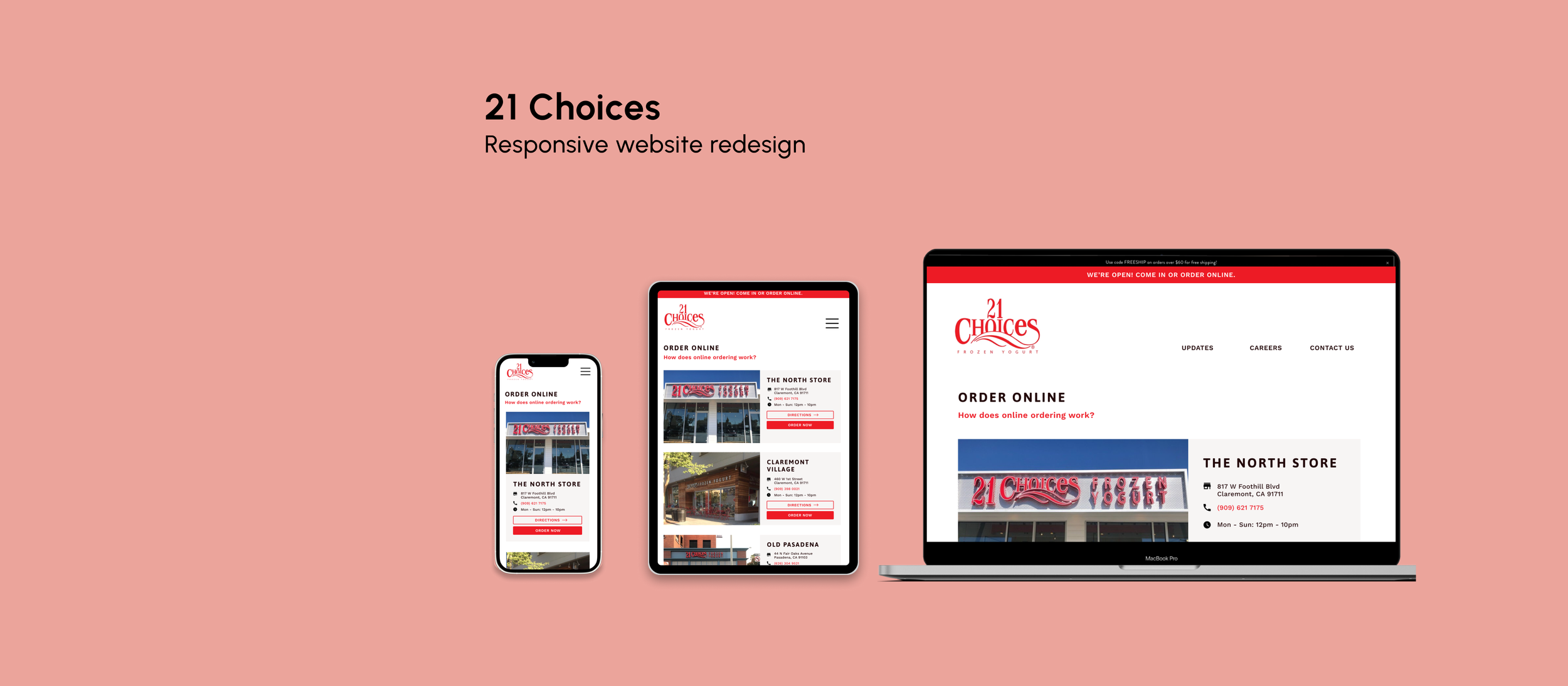
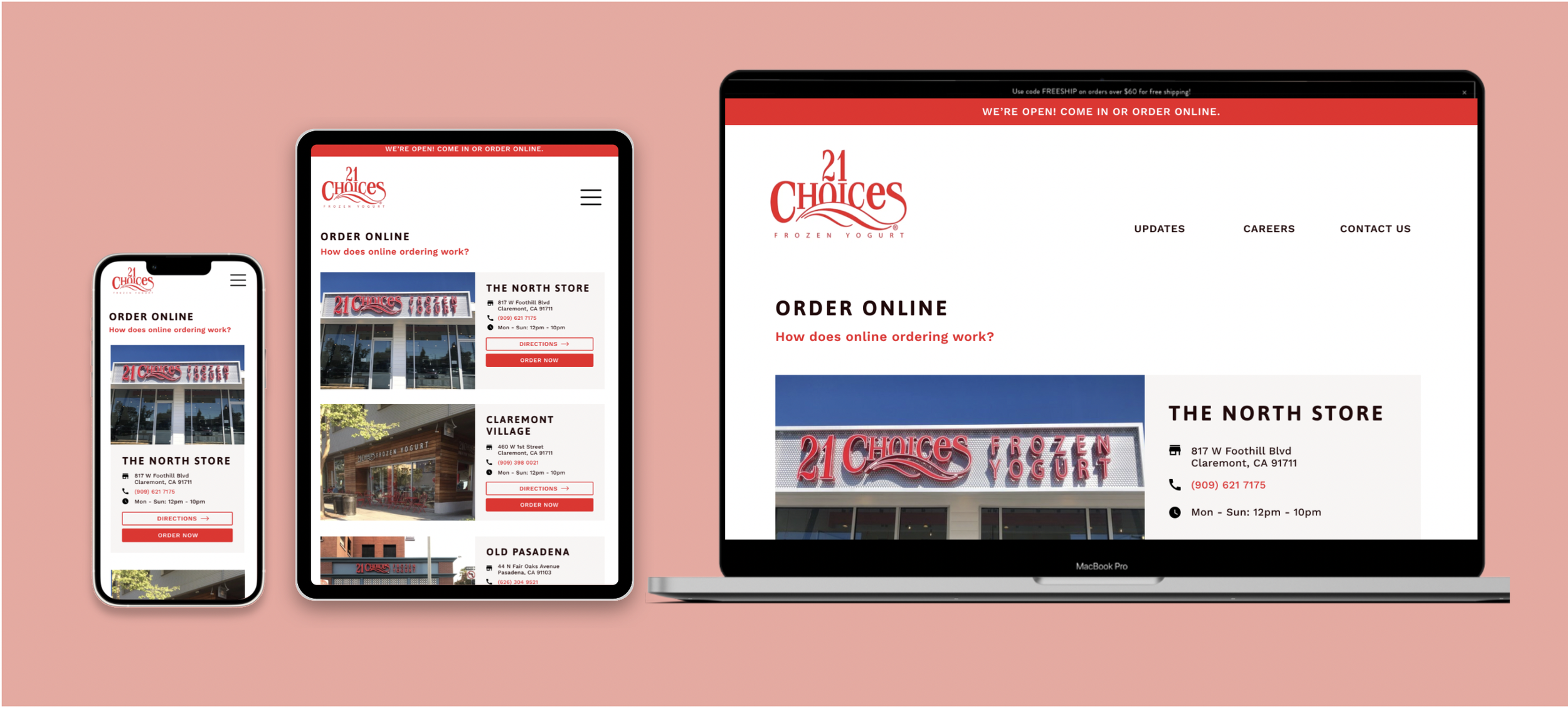
This case study focuses on the heuristic evaluation and comprehensive redesign of an existing web platform, with a core emphasis on usability, visual hierarchy, and accessibility (WCAG). By conducting a rigorous UX audit, I identified critical interface friction points, translated findings into multi-device wireframes, and designed high-fidelity, responsive prototypes that optimized the user journey across desktop, tablet, and mobile breakpoints.
Timeline
September 2022 - October 2022
SKILLS
Visual Design, UX/UI Design, Lo-fi Wireframing, Hi-Fi Wireframing, Front-end Development, HTML/CSS
00. Goal
How can we improve the usability of the 21 Choices website?
01. Website Analysis
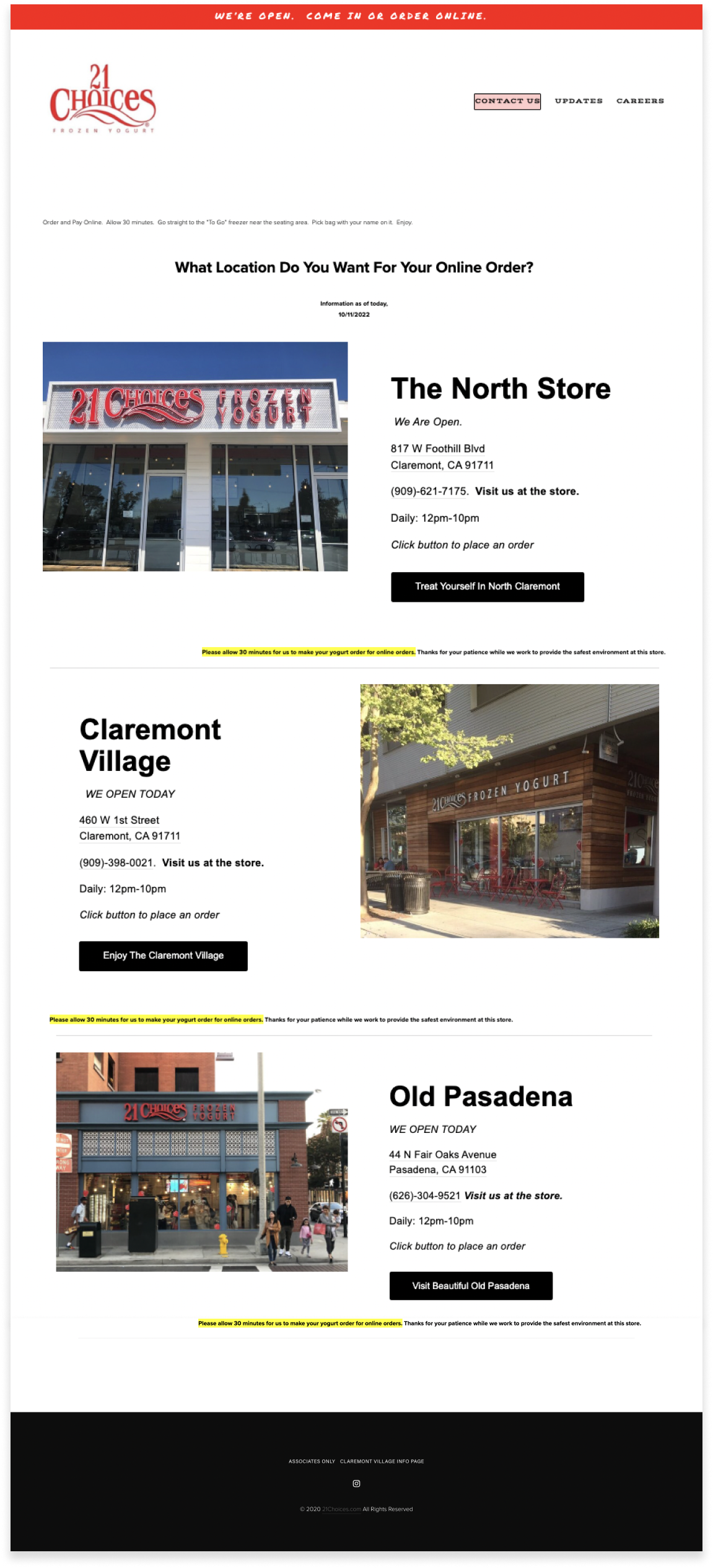
Despite serving some of the best frozen yogurt in Southern California, local favorite 21 Choices suffered from a disjointed digital ordering experience. For this case study, I focused on redesigning the online order location selection page to reduce cognitive load, improve task efficiency, and better reflect the warmth and quality of the brand.
usability analysis
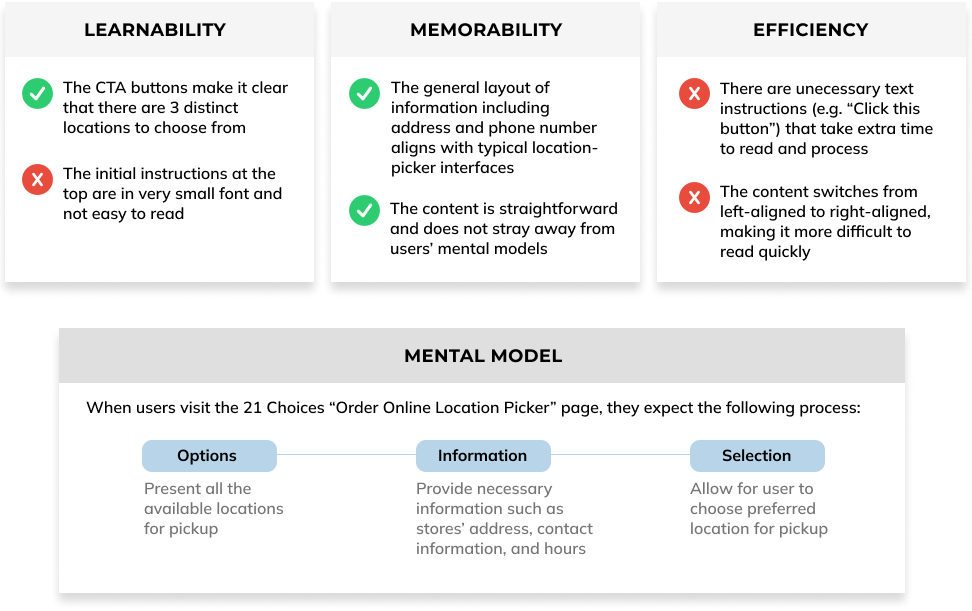
First, I conducted a usability analysis on the webpage using the three criteria of learnability, memorability, and efficiency.
ACCESSIBILITY
Then, I used the WAVE Accessibility program, which identified a few issues with the accessibility as well.
Heading: The heading sizes and components on the webpage are inconsistent and highly varied. This can be confusing and reduces the semantic and visual meaning and structure to the page.
Empty button: There are 2 empty buttons on the site, which are buttons with no text on them to indicate where the button leads to.
Alt text: Several images had "suspicious" or "non-descriptive" alternate text descriptions. For example, the Claremont store image simply had the alt text "Claremont," which is vague. This negatively impacts accessibility for visually impaired people, such as blind users who rely on alt text to experience images.
02. Visual Redesign
LOW-FIDELITY WIREFRAMING
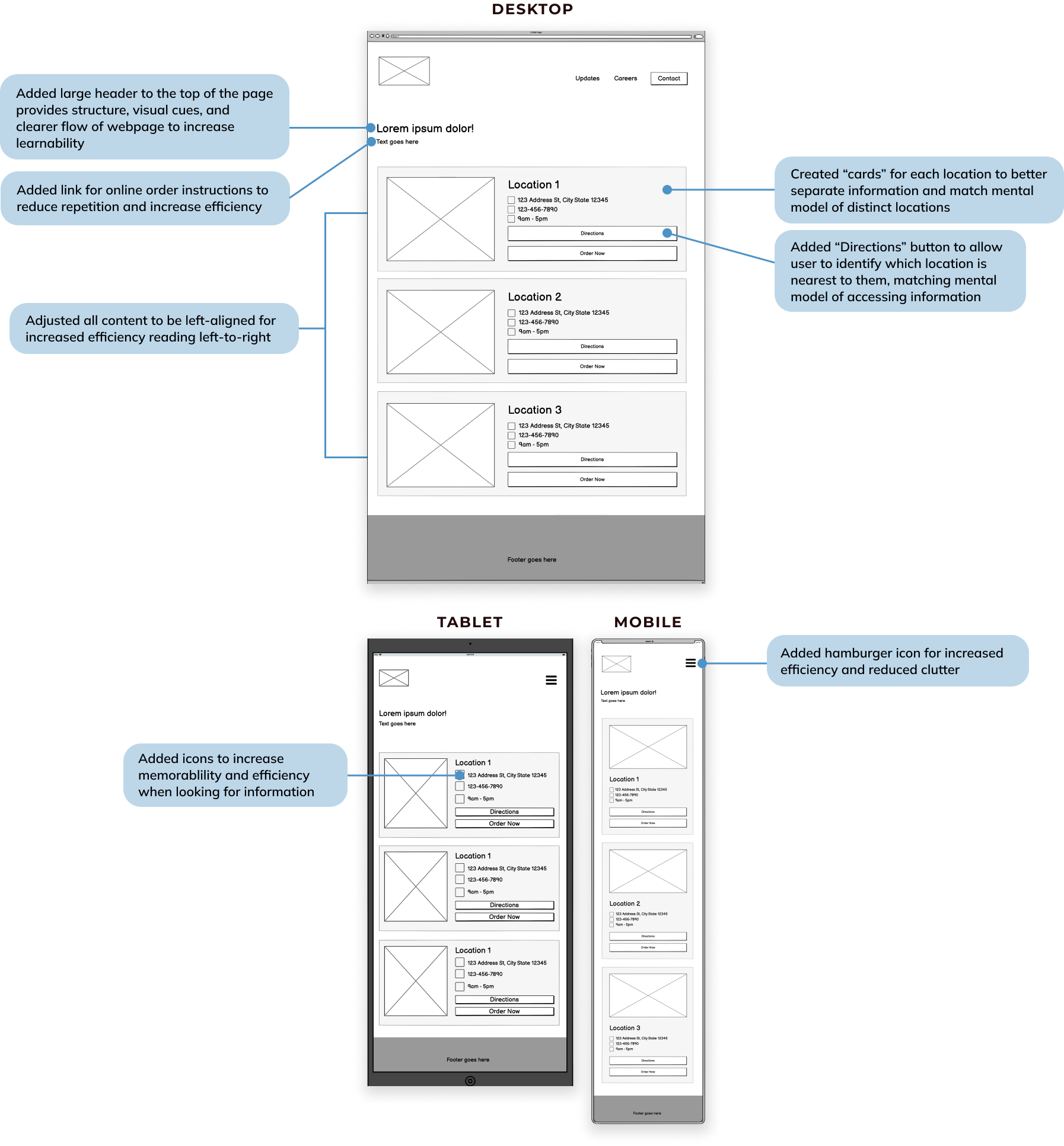
Based on the usability and accessibility analyses, I used Balsamiq to create 3 low-fidelity wireframes (for desktop, tablet, and mobile) outlining how the website could be improved.
visual design style guide
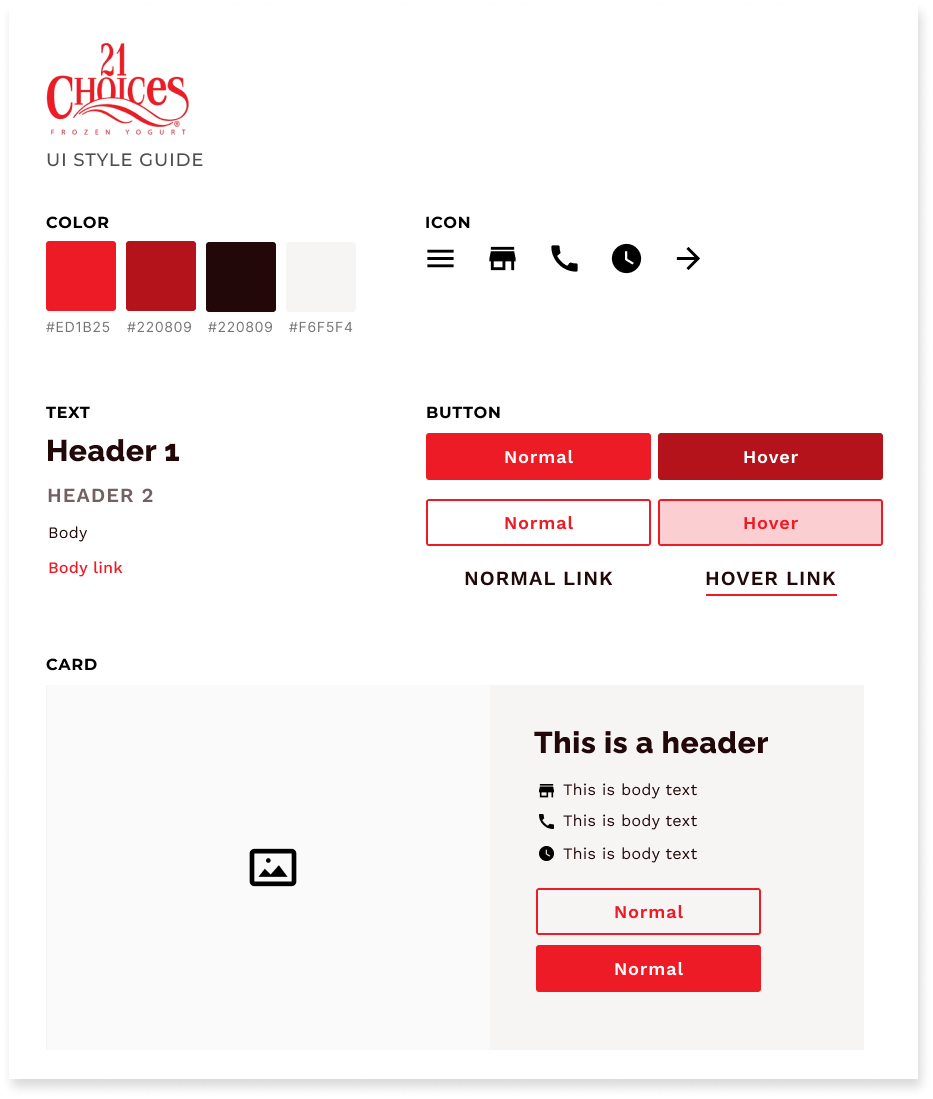
I also created a visual design style guide, adhering to the company’s current color scheme and brand identity, to increase consistency and cohesion for the high-fidelity prototypes.
high-fidelity prototyping
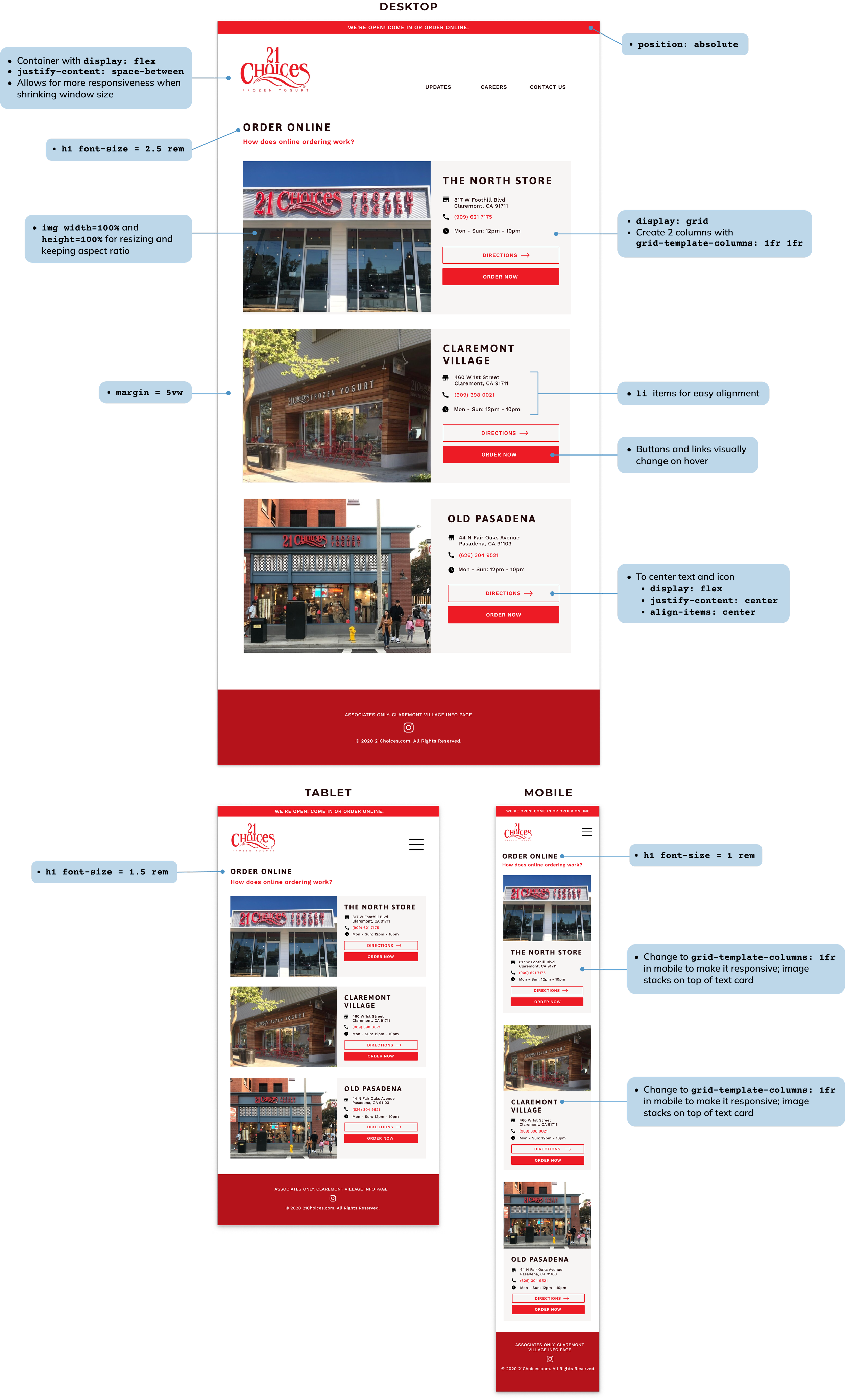
I then used Figma to create high-fidelity prototypes based on the low-fidelity wireframes.
03. Responsive Redesign
Finally, I used HTML and CSS to recreate the 21 Choices website according to the high-fidelity prototypes. Buttons and navigational elements are replaced with dummy elements.